What Makes Nano Banana Pro Different?
Nano Banana Pro is the production-oriented tier of Google's Nano Banana image family. It adds stronger text rendering, higher resolution output, and expanded edit capacity — making it the right choice when readability, layout accuracy, and detail matter.
VidTool AI exposes both text-to-image and edit endpoints under one engine selection. Upload reference images when you need to refine an existing visual; leave uploads empty to generate from scratch. Resolution scales from 1K through 4K depending on your deliverable requirements.
Four Capabilities Worth Understanding
Each one addresses production needs that base image models often struggle with.
Text Rendering
Improved handling of headlines, labels, signage, and multilingual text compared to the base Nano Banana model — readable typography, not visual texture.
Edit Mode
Upload up to 14 reference images to guide edits with natural-language instructions — background changes, object swaps, style shifts, and compositional adjustments.
Up to 4K
Choose 1K, 2K, 4K resolution depending on how much detail your final deliverable requires.
World Knowledge
Stronger grounding for real-world subjects, brands, and visual conventions when prompts depend on contextual understanding.
Nano Banana Pro Technical Specifications
The exact parameters available when you run Nano Banana Pro inside the VidTool AI workspace.
- Modes
- Text-to-image / edit (auto-switch by upload)
- Resolutions
- 1K / 2K / 4K
- Aspect ratios
- 1:1, 3:2, 2:3, 3:4, 4:3, 4:5, 5:4, 9:16, 16:9, 21:9
- Reference images (edit)
- Up to 14 images
- Output formats
- png / jpeg
- Provider
How to Generate Images with Nano Banana Pro
From high-resolution generation to multi-reference editing in four steps.
Choose your mode
Generate fresh images with text-to-image, or upload existing visuals to enter edit mode with up to 14 reference images.
Write a detailed prompt
Specify layout, text content, subjects, and style. Nano Banana Pro handles dense, multi-requirement prompts better than lightweight alternatives.
Select resolution & aspect ratio
Pick 1K for fast drafts, 2K for balanced quality, or 4K for final production output across ten supported aspect ratios.
Refine & export
Review the result, run follow-up edits if needed, and download in PNG or JPEG when satisfied.
Generated with Nano Banana Pro
Representative visual directions — generate your own in the VidTool AI workspace.
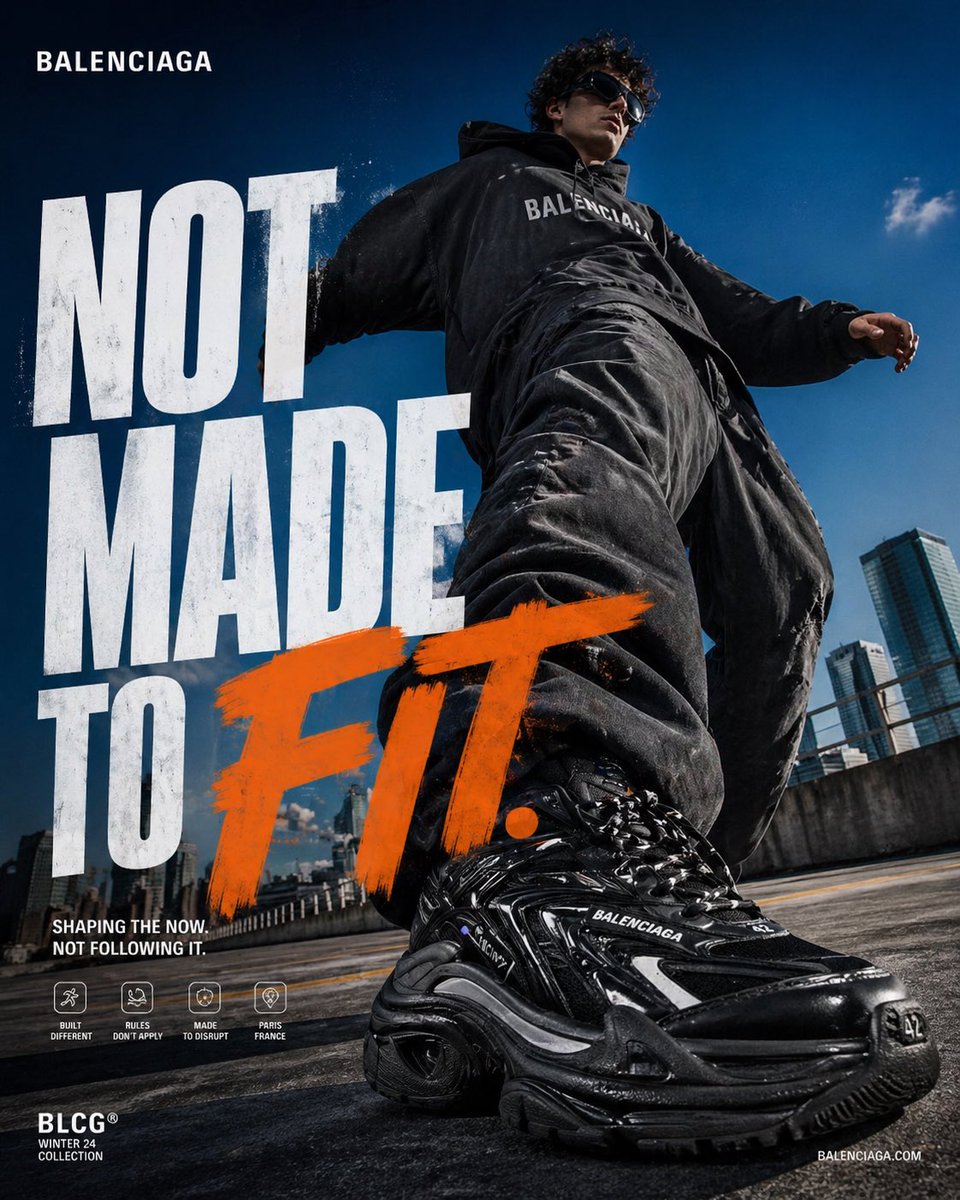
Poster with typography
Readable headline · layout accuracy · branded color scheme
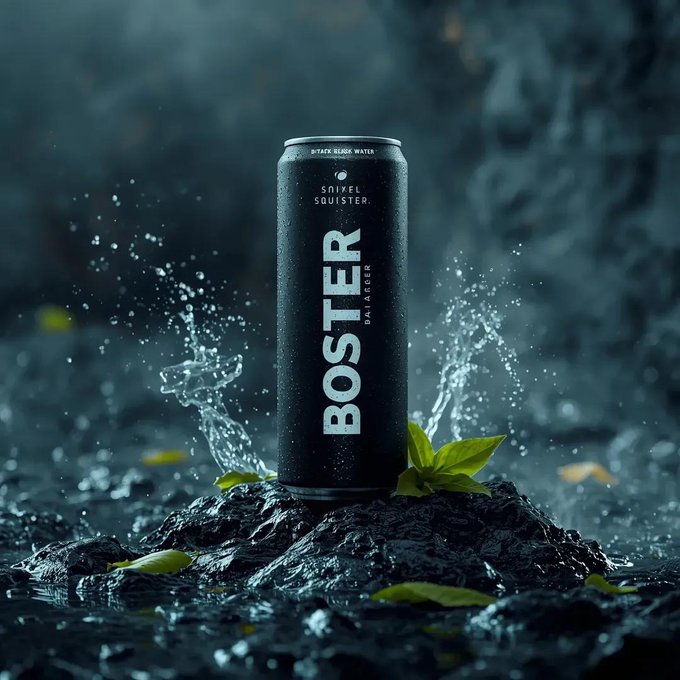
Product photography
Material accuracy · studio lighting · 4K-ready detail
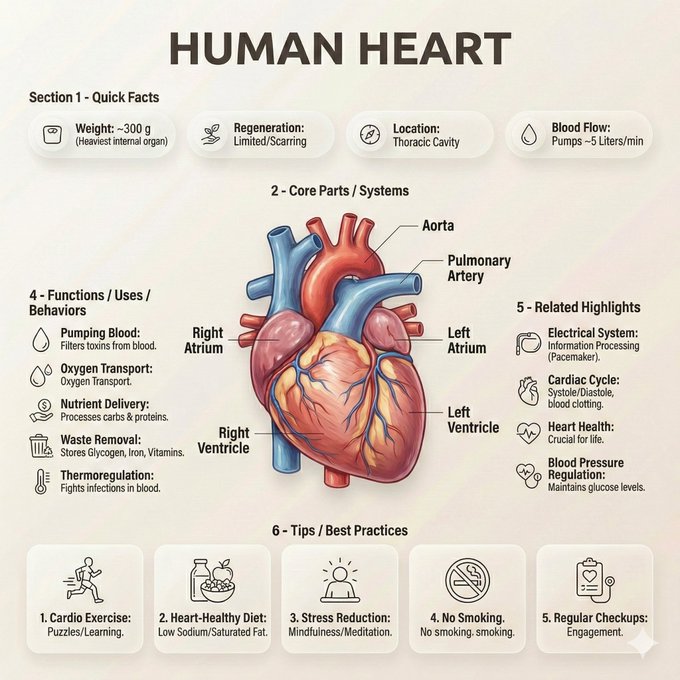
Infographic
Readable labels · diagram structure · world-knowledge grounding
Frequently Asked Questions about Nano Banana Pro
Technical questions about Nano Banana Pro, answered plainly.