
GPT Image 2: The AI Image Model
That Plans Before It Draws.
GPT Image 2is OpenAI's first image model built with a reasoning pipeline — it researches, plans, and self-checks a prompt before generating a single pixel. The result is reliable text rendering across scripts, accurate multi-element compositions, and structured output that other models approximate but rarely get right.
What Makes GPT Image 2 Different?
GPT Image 2 is the first image model where the generation step is preceded by a reasoning step. Before rendering, the model interprets the prompt semantically — understanding layout intent, text content, compositional constraints, and real-world context — and builds a plan. This is why it handles the kinds of prompts that trip up diffusion models: dense typography, precise multi-element layouts, diagrams, and anything where accuracy matters more than approximation.
The practical effect is that you don't need to simplify your prompt to be understood. Write what you actually need — with all the layout specifics, text content, and compositional detail — and the model treats that as an instruction set rather than a loose suggestion. On Image Arena, it ranks #1 across all leaderboards, with a 1,512 score in Text-to-Image and a +242 point lead over the next model.
Four Capabilities Worth Understanding
Each one addresses a limitation that makes other AI image models unreliable for production work.
Text Rendering
Multi-line headlines, dense fine print, signage, labels, and CJK characters render as readable text — not visual noise. The model understands what the text says, not just what letters look like.
Reasoning Pipeline
GPT Image 2 plans before it generates. Complex prompts with multiple elements, layout requirements, and compositional constraints get interpreted as a structured instruction set — not a probabilistic best guess.
Mask-Based Editing
Inpainting and outpainting via a dedicated edit endpoint. Supply a plain-language instruction with or without a mask — the model handles segmentation, relighting, and compositing internally. Multi-pass edits don't accumulate artifacts.
Structured Generation
Diagrams, infographics, charts, posters, and comics — content where compositional accuracy matters — are where GPT Image 2 pulls away from other models. Structure is understood, not approximated.
GPT Image 2 Technical Specifications
The exact parameters available when you run GPT Image 2 inside the VidTool AI workspace.
- Resolutions
- 1K / 2K / 4K (max edge 3840px)
- Aspect ratios
- 1:1, 3:2, 2:3, 3:4, 4:3, 4:5, 5:4, 9:16, 16:9, 21:9
- Quality
- Low / Medium / High
- Output formats
- PNG (default) / JPEG / WebP
- Transparent background
- Not supported
- Editing
- Inpainting + outpainting via dedicated edit endpoint — mask optional
- Knowledge cutoff
- December 2025
- Benchmark
- #1 on Image Arena across all leaderboards · 1,512 score in Text-to-Image · +242 point lead
How to Generate Images with GPT Image 2
From prompt to finished image — or from existing image to refined output — in four steps.
Choose your mode
Start fresh with text-to-image generation, or upload an existing image to edit it using inpainting, outpainting, or a plain-language instruction.
Write a detailed prompt
GPT Image 2's reasoning pipeline handles complexity — don't simplify your prompt to avoid confusion. Specify layout, text content, colors, and composition directly. The model plans before it renders.
Select resolution, aspect ratio & quality
Choose from 1K, 2K, or 4K output across ten aspect ratios. Use Low quality for fast iteration, High quality for final production output.
Refine with edits & export
Use the edit mode to adjust specific regions, extend the canvas, or replace elements with a plain-language instruction. Export as PNG, JPEG, or WebP when done.
Generated with GPT Image 2
Real outputs from the model — no post-processing, no cherry-picking of settings.
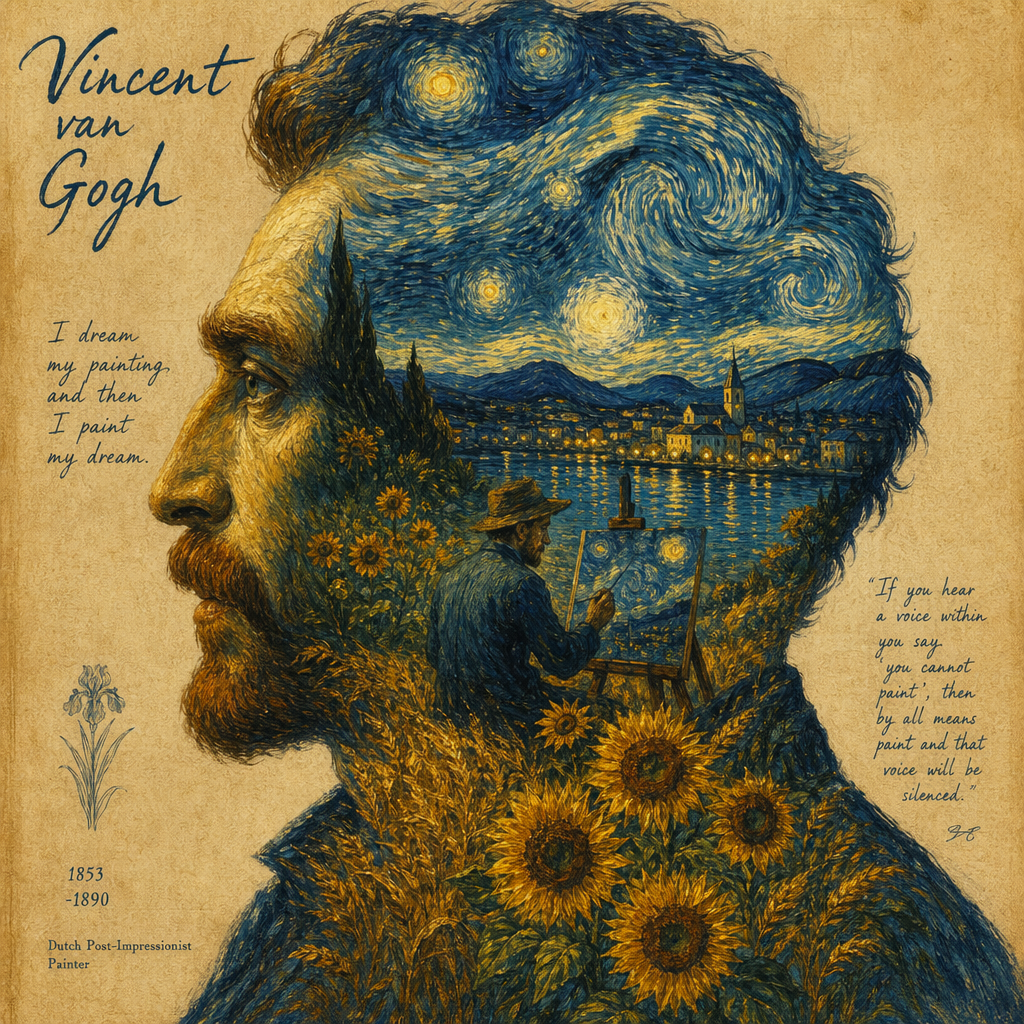
Van Gogh style portrait
Double exposure · post-impressionism · detailed artistic direction
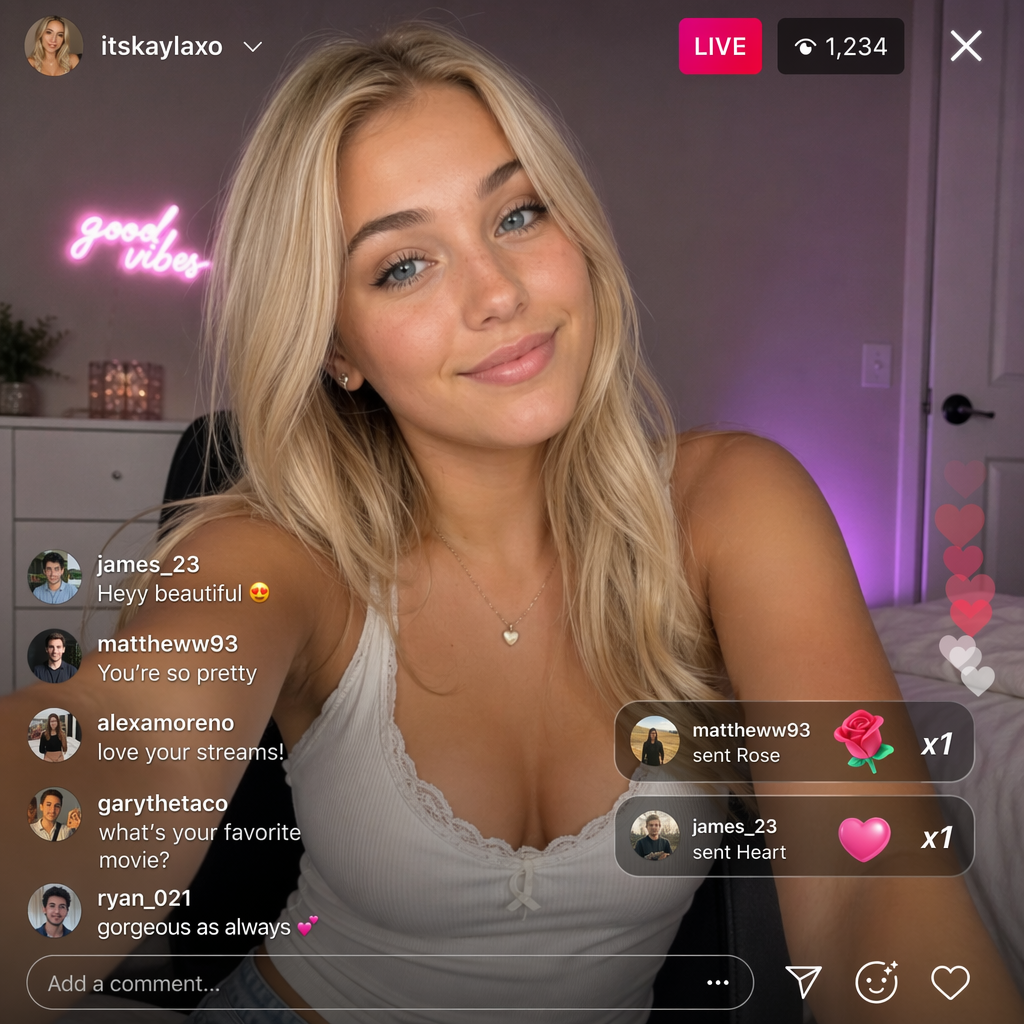
Live stream screenshot
Accurate UI rendering · readable on-screen text · realistic lighting
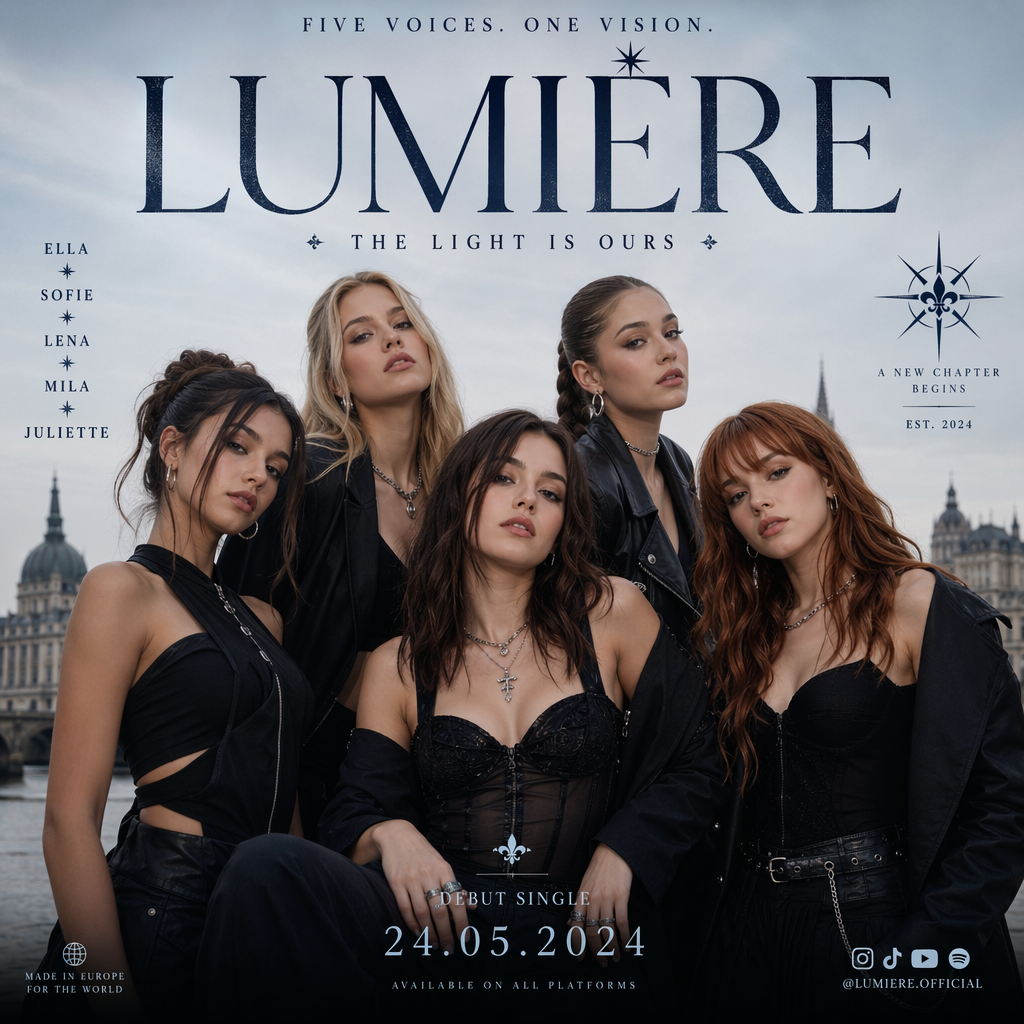
Group poster
Multi-subject composition · consistent style · poster layout
Use GPT Image 2 in These Tools & Comparisons
AI Image Generator
Use GPT Image 2 alongside FLUX 2, Midjourney, and Nano Banana in a unified workspace.
Image to Image
Edit and transform existing images with GPT Image 2's mask-based inpainting and outpainting.
GPT Image 2 vs Midjourney
Reasoning-first accuracy vs artistic default aesthetic — side-by-side comparison.
GPT Image 2 vs FLUX 2
Compare text rendering and structure against photoreal materials and speed.
GPT Image 2 vs Nano Banana Pro
Premium reasoning model vs Google's fast mid-tier — cost and quality tradeoffs.
Midjourney Alternatives
See how GPT Image 2 compares as a Midjourney alternative for text-heavy work.
Frequently Asked Questions about GPT Image 2
Technical questions about OpenAI's GPT Image 2, answered plainly.
What is GPT Image 2 and how does it differ from DALL-E 3?
Why does GPT Image 2 render text so much better than other image models?
How does the reasoning pipeline work in practice?
How does the edit endpoint work?
What output formats does GPT Image 2 support?
What resolutions and aspect ratios are available?
What types of images is GPT Image 2 best suited for?
Does GPT Image 2 have a knowledge cutoff?
Learn more from the official OpenAI GPT Image 2 announcement →
Last updated: June 6, 2026